Showing posts with label Adobe. Show all posts

Saturday, January 25, 2020

Acrobat Reader is now accessible from Google Drive to add/reply to comments.

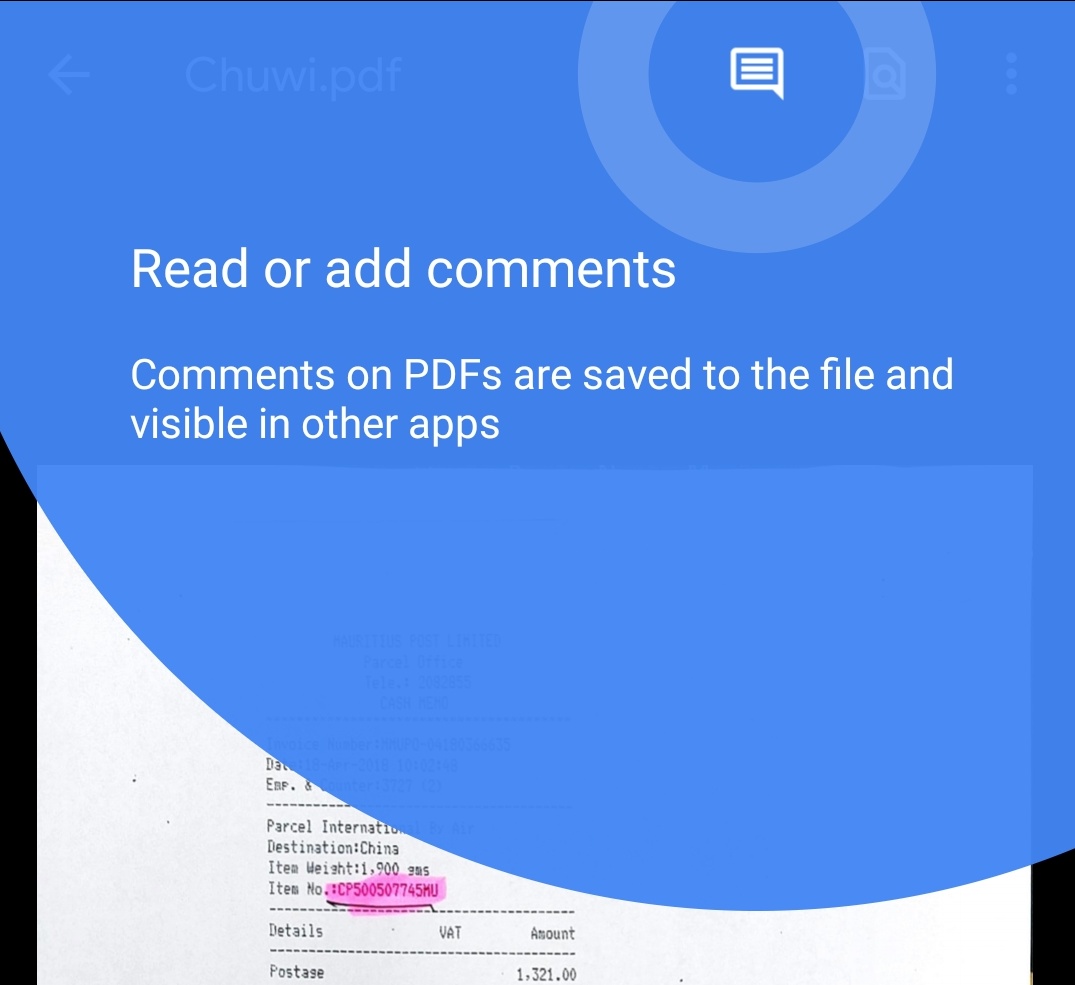
Adobe added a nice feature to Acrobat Reader for Android allowing users to quickly annotate files on Google Drive without leaving the app. Once annotated, any persons with access to the file will be able to reply to and see comments from other users for discussions. In addition, comments can be edited and all changed saved within the file back to Google Drive.

To add a comment, tap the new comment icon at the top of the screen. Then tap "Add new" under the pdf file. Tap an area to comment on and "add comment". Type your comment and tap "Comment" to post your comment. It's that easy.

Adobe also improved multi-identity support for Microsoft Intune users. Microsoft Intune is a cloud-based management solution for mobile devices and operating system management. This update also includes the usual improved performance and stability.

Adobe Acrobat for Android can be downloaded free on Google Play Store.

Friday, April 6, 2018

Change your picture and wallpaper directly in Adobe Photoshop Express for Android.

Depending on where you stand Adobe is either a software household name or a name that is almost synonymous with vulnerabilities. Not all Adobe products have this bad reputation and fortunately Photoshop Express falls into that category of apps you can trust. If you do not have the app on your Android device yet or are looking for a good photo editor, this one is definitely worth your time. And it's completely free.

That said, Adobe Photoshop Express has been updated with some new features like the addition of a "Fade" effect and the ability to print directly from the application. This update also lets you change your device wallpaper and set profile pictures in the app via the share menu. The latter, while a great idea, only supports apps like Contacts and apps that let you set photos as wallpaper and that's basically any photo and launcher app you have installed on your device. Adobe Photoshop, however, only support WhatsApp for profile pictures and it does not show any social networks in the menu. 

Here's what's new in version 4.0.451 of Adobe Photoshop Express:
  • Add "Fade" effect and give a matte feel to your photos.
  • Print photos directly from the application.
  • Change wallpaper and profile pictures directly from the share screen.
  • UI improvements in crop tool.
  • Bug fixes.
Adobe Photoshop Express can be downloaded in Google Play Store.

Saturday, December 2, 2017

Adobe Photoshop Express supports 9 new languages, image cropping in the original image's aspect ratio.


If you pull up the Play Store on your device and make a search for photo editing apps, the search will bring up thousands and thousands of matching apps. So much that you end up scrolling endlessly through the results, making choosing one difficult, especially since the store search engine does not necessarily sort the list with the most popular app at the top. So, if you’re a developer and unless your app has a well-known brand name, good luck with making your app visible to the billions of Android users. Adobe Photoshop Express does not have this recognition problem if 50 million downloads are any indication.

Adobe Photoshop Express is a brand that inspires trust. The app supports the basics like photo cropping, straightening, rotating, etc. It also allows for quick and easy editing of photos on the go. But it also includes features like blemish removal, corrections, filters, image rendering engine, noise reduction among a lot more. And the app is regularly updated.

In the latest update, Adobe added support for 9 new languages: Filipino, Greek, Hindi, Indonesian, Malay, Romanian, Thai, Ukrainian and Vietnamese. The update also lets you “crop your images in the original image’s aspect ratio.

Check out the ret of the change log below and head into the Play Store to update/download Adobe Photoshop Express.

·       Enhancements in image picker gallery for a smoother experience.

·       Bug fixes and feature enhancements.


Tuesday, July 18, 2017

Adobe Acrobat Reader now lets you quickly edit and change font when reviewing documents.

Adobe Acrobat is the de-facto standard for viewing portable documents on mobile and desktop devices across platforms, so it’s one of those apps you need to download on your devices to view such documents as, say your bank statement, utilities bills, etc. Those documents sent by your bank are not editable for obvious reasons but if you subscribe to Adobe’s services you get to create your own or even edit those sent to you provided you were given the required permissions from the author. 

In a collaboration environment you get to share your thoughts about the contents. And todays update allows users to quickly edit and change the font when reviewing documents. This update comes in handy when you want to make your comments stand-out right on your device when on the go instead of having to wait when you get back to the office. In this update, Adobe also added accessibility support for bulleted lists.

To get the job done wherever you are, make sure you download this latest update from Google Play Store.

Saturday, March 11, 2017

Adobe Photoshop Express gets social and improves performance with an updated core imaging engine.


Recently, Google added photo enhancement capabilities to Google Photos. A welcome addition but features like auto white balance and cropping, while useful, is pretty much limited if you want something more powerful to edit your photos for applying effects and filters. Adobe Photoshop Express may be the app you need for on-the-go photo editing.

With Adobe Photoshop Express, you will be able to do basics things like crop, straighten, rotate, flip your photos, as well has remove pet eye, get rid of blemishes and much much more.

Adobe Photoshop Express has been updated with new features that enables opening additional RAW files types. Once you're done polishing your chef-d'oeuvre, Adobe Photoshop Express will let you share it directly to popular social networks like Facebook, Line, Instagram, WeChat, and WhatsApp. 

Here's the full change log. Check out it out before heading to Google Play Store to download or update Adobe Photoshop Express.


• Updated the core imaging engine, improves performance and enables opening additional RAW files types.
• Automatically straighten your images.
• Remove noise from low light images using the new Color Reduce Noise correction.
• Save your images now directly into Lightroom.
• Share directly to popular social networks like Facebook, Line, Instagram, WeChat and WhatsApp.
• Custom control for size and quality of saved images.
• Reduced the app size, now it’ll take less space on your device.